Operator controller
waddle_controller is the browser UI for managing one or more displays. It pairs via the adoption API, then proxies all display REST traffic through an optional BFF (Hono + SQLite or Postgres) so the browser never talks to self-signed display TLS directly.
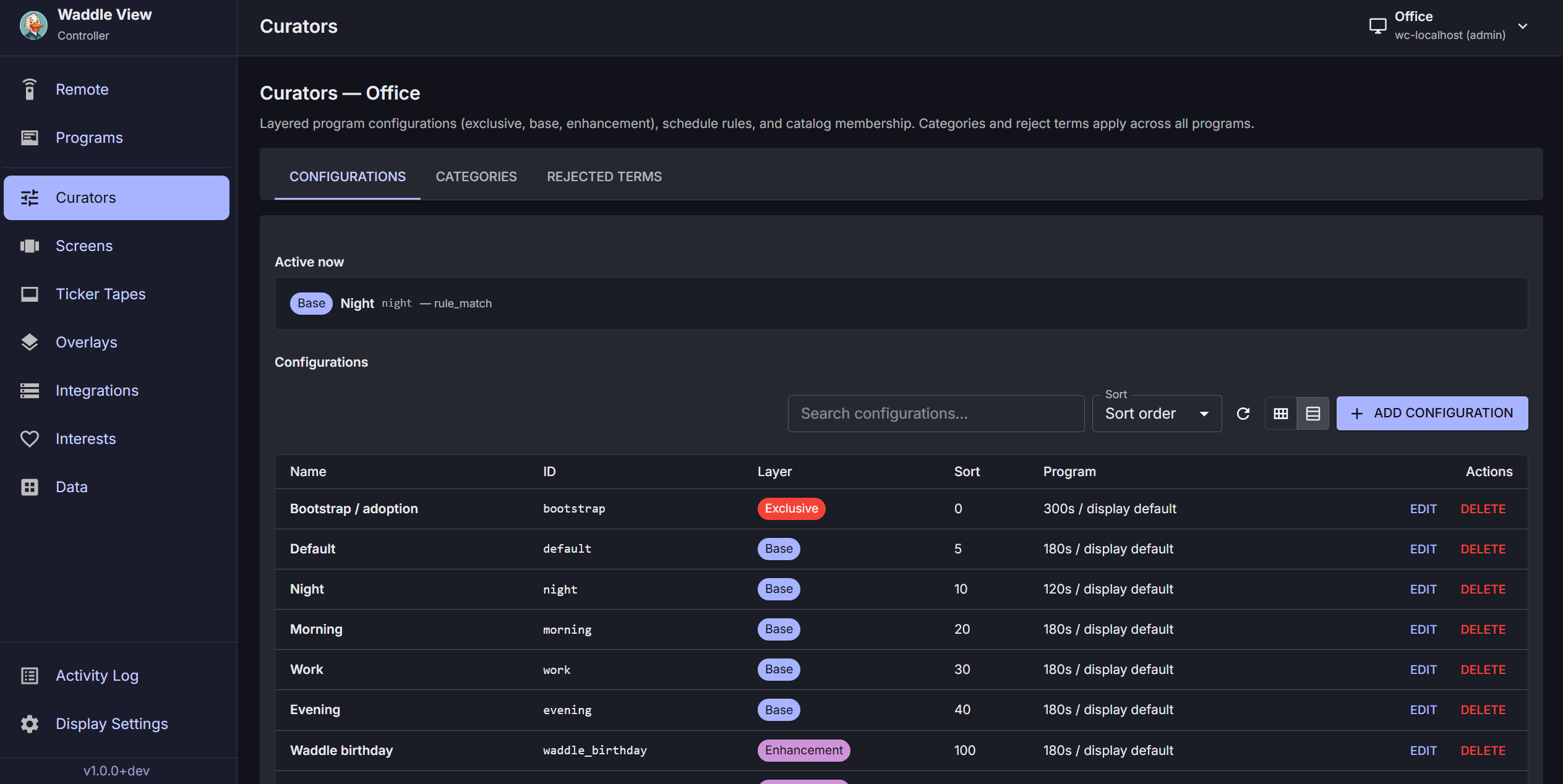
Development
From apps/waddle_controller/ in the waddle-view repo:
- SPA: https://127.0.0.1:5173
- BFF: https://127.0.0.1:5199 (proxies
/bff/v1/proxy/*to each display)
Set WADDLE_CONTROLLER_TLS=0 for plain HTTP in dev.
Pairing a display
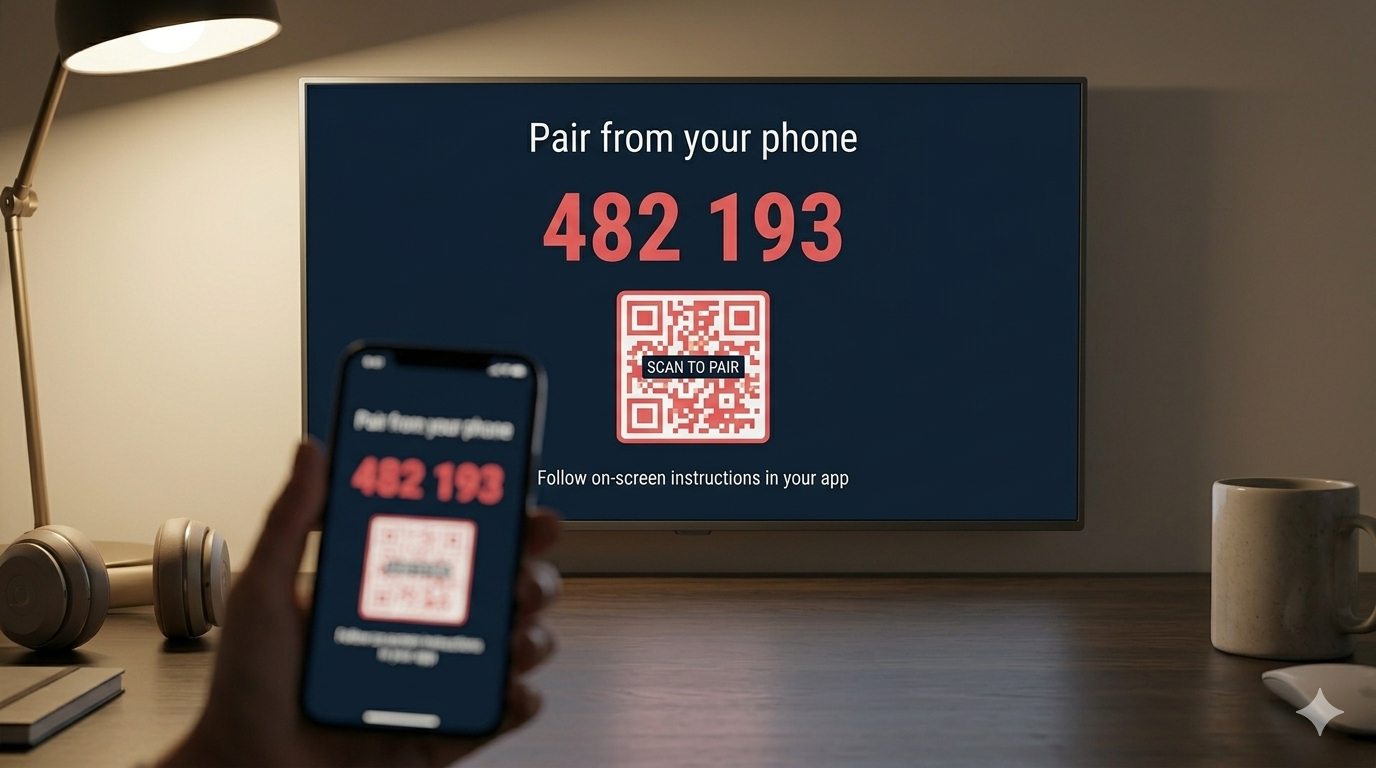
- Add the display URL in the controller (LAN HTTPS, e.g.
https://192.168.1.50:8787). - Request adoption —
POST /v1/adoption/requestwith an identifier and role. - Read the XXXX-XXXX challenge on the TV (security alert overlay).
- Confirm —
POST /v1/adoption/confirmwith the code; store the returnedapi_key. - The display records your browser Origin in
cors_allowed_originsfor later API calls.
Admins can issue keys instantly with an existing admin bearer token. See Security and API overview.
Main workflows
| Area | What you configure |
|---|---|
| Programs / Curators | Layered configurations (exclusive, base, enhancement), schedule rules, member add/remove ops, Active now preview |
| Screens | Per-slide types; Require news photo on news-family screens |
| Integrations | Enable providers, API keys, OAuth accounts; View data deep links |
| Data | Browse and moderate jokes, news, photos, tasks, etc. |
| Ticker | Tape types, weights, date/time format presets |
| Overlays | Celebration schedules and assets |
| Display settings | Theme, timezone, adoption policy, backup |
| Controller settings | Users, scheduled backups, Pi upgrade |
| Remote | Live preview stream, save frame, pop-out window |
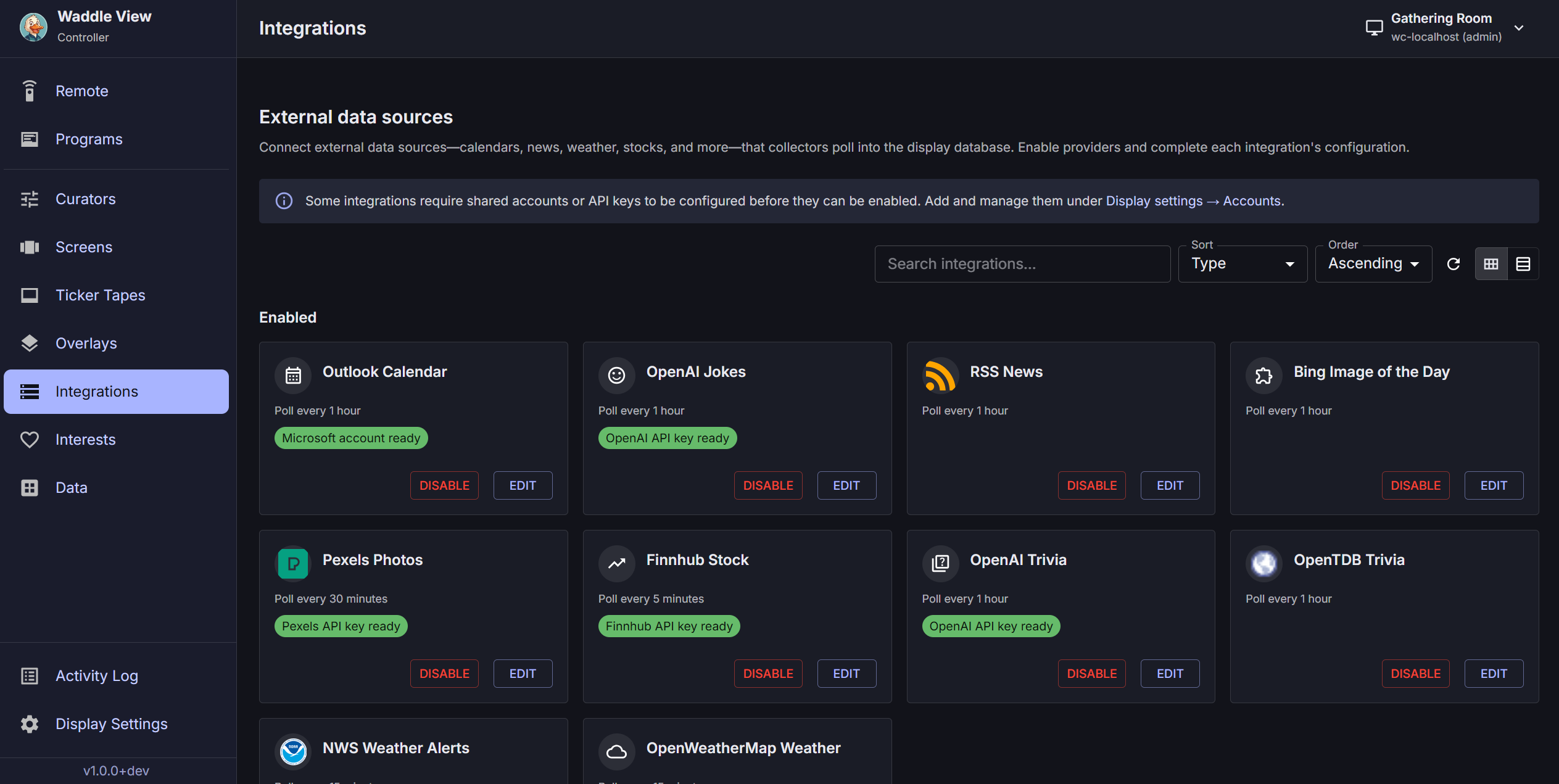
Schema-driven forms use JSON Schema from GET /v1/meta/config-schemas — prefer caching that response once per session.
Curators
Curator configurations stack by layer and sort_order:
- exclusive — replaces the whole program (bootstrap/adoption)
- base — primary program (screens, ticker, theme, viewport reserve)
- enhancement — add/remove member ops for screens, ticker tapes, and overlays when schedules match
Members use add or remove ops per catalog id (not just id lists). Higher sort_order wins when the same id is both added and removed.
Active now (GET /v1/curator/active) shows matching configurations plus program_controls and effective_members (merged ids with labels — same resolution the display rotator uses).
Require news photo can be set per curator (require_news_photo_for_screens) and per news-family screen row on Screens.
Data and integrations
The Data page lists ingested catalog rows by kind. Filter by text, category, integration, or suppression state.
- Tasks tab — synced Trello cards (
GET /v1/catalog/tasks); filter by board key - From Integrations, View data opens Data with query params:
/data?kind=…&integration_type=…
Google Calendar setup mirrors Outlook: pick a signed-in account, set day windows, refresh calendar list (GET /v1/integration-accounts/{id}/google/calendars), assign categories per calendar.
Duration fields
Poll intervals, dwell times, and similar fields accept seconds, minutes, hours, or days with unit selectors in the controller UI.
Multi-display and catalog copy
The controller can manage multiple adopted displays. Catalog copy flows duplicate screens, overlays, or integration settings between displays (admin/operator permissions apply).
Backup and restore
- Display settings → Backup & restore — pull or push archives via display admin API (
display.maintenance) - Controller settings → Backup & restore — scheduled pulls into BFF storage, retention, restore to display
New backup targets default to weekly on Sunday at 02:00 controller local time. Each additional display in the same scope is staggered +5 minutes. Use the unified schedule dialog for frequency, day-of-week, time, and retention.
Archives match waddlectl layout (manifest.json, db/, media/).
Live preview and Remote
Enable live preview under Controller settings → Displays → Edit → Live preview (display env defaults: width 720, quality 50).
On the Remote page:
- Test live preview — JPEG stream over WebSocket (ticket + API-key proxy via
/bff/v1/proxy-ws/*) - Save frame — download the latest preview frame as JPEG or PNG
- Open in new window —
/remote/viewpop-out with minimal chrome; window size/position remembered inlocalStorage(waddle_live_preview_popout_bounds_v1) - Remote controls accordion — slide/ticker navigation and alert dismiss (same keyboard shortcuts as main Remote: ← → slides, ↑ ↓ ticker, Enter dismiss)
Pi in-band upgrade
When GET /v1/health reports upgrade_capable: true, the controller can trigger POST /v1/display/ops/upgrade (requires upgrade script + passwordless sudo). See Pi upgrade.
Optional BFF authentication
Enable WADDLE_CONTROLLER_AUTH_ENABLED=1 and WADDLE_CONTROLLER_SESSION_SECRET for multi-user sign-in. Displays and API keys are stored per account in user_displays.