Integrations
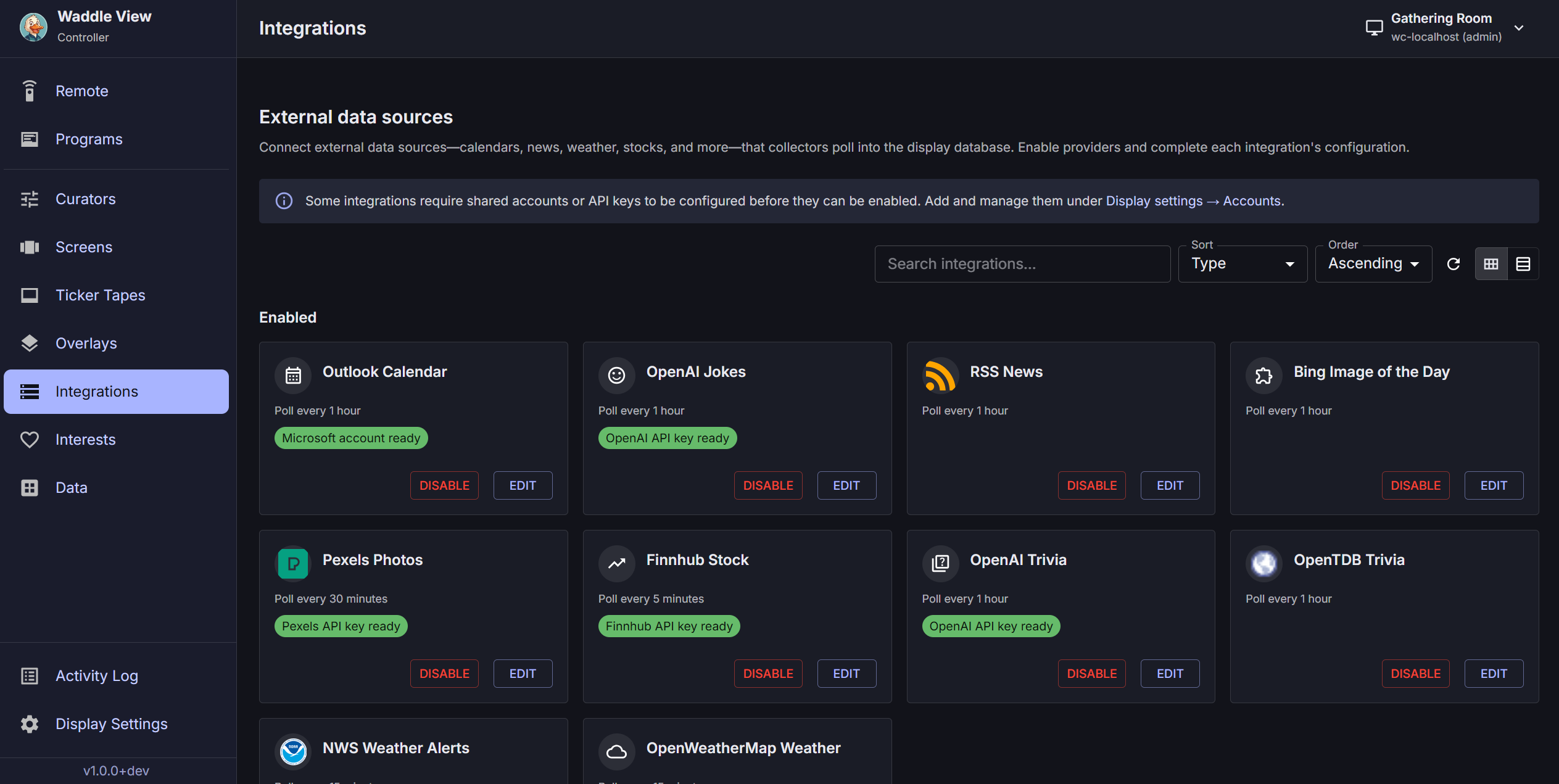
Integrations are data collectors registered in the display database (integrations.integration_type). Each enabled integration runs on a schedule in the DataCollectionEngine and writes catalog rows (jokes, RSS, photos, weather, calendar events, tasks, etc.).
Configure via the controller Integrations tab or GET/PATCH /v1/integrations/{id}.
Secrets and accounts
| Secret type | Where it lives |
|---|---|
| Provider API keys (OpenAI, Pexels, Finnhub, Trello, …) | Controller Integrations secret fields → encrypted in SQLite on the display (integration_secrets) |
| Google / Microsoft OAuth tokens | SecretStore (DPAPI on Windows, Secret Service on Linux) after device sign-in |
| OAuth public client ids | Environment (WADDLE_DISPLAY_GOOGLE_CLIENT_ID, WADDLE_DISPLAY_MICROSOFT_GRAPH_CLIENT_ID) |
Legacy WADDLE_DISPLAY_* provider API key environment variables are deprecated and ignored at runtime. See apps/waddle_display/.env.example.
Schema discovery
Each integration_types entry includes label, config_json_schema, example_config_json, and requires_accounts.
Built-in integration types
integration_type |
Family | Typical secrets / accounts |
|---|---|---|
news_rss |
news | RSS feed URLs in interests |
news_twitter |
news | API credentials in integration secrets |
news_facebook |
news | API credentials |
news_linkedin |
news | API credentials |
joke_openai |
joke | OpenAI API key (Integrations UI) |
joke_jokeapi |
joke | JokeAPI key |
trivia_openai |
trivia | OpenAI API key |
trivia_opentdb |
trivia | Open TDB (optional) |
quote_quoterism |
quote | Quoterism API key account |
weather_openweathermap |
weather | OpenWeatherMap API key |
weather_openmeteo |
weather | Usually no key |
weather_alerts_nws |
weather | US NWS alerts |
air_quality_openmeteo |
weather | Open-Meteo air quality |
stock_finnhub |
stock | Finnhub API key |
photo_pexels |
photo | Pexels API key |
video_pexels |
video | Pexels API key |
photo_bing_iotd |
photo | Bing image of the day |
photo_flickr |
photo | Flickr API key |
photo_nasa_apod |
photo | NASA APOD (DEMO_KEY or API key) |
photo_nasa_mars_rover |
photo | NASA API key |
photo_nasa_earth_imagery |
photo | NASA API key |
photo_google |
photo | Google OAuth (SecretStore) |
video_google |
video | Google OAuth |
photo_onedrive |
photo | Microsoft Graph OAuth |
video_onedrive |
video | Microsoft Graph OAuth |
calendar_google |
calendar | Google OAuth + calendar picker |
calendar_outlook |
calendar | Microsoft Graph OAuth |
calendar_ical |
calendar | ICS URL in config |
calendar_mealviewer |
calendar | Mealviewer district URL |
tasks_trello |
tasks | Trello API key + member token |
home_assistant |
iot | HA URL + long-lived token |
general_openai |
general | OpenAI for multi-slot layouts |
plugin_http |
plugin | Sidecar POST /collect |
Trello tasks (tasks_trello)
- Create a Trello Power-Up and copy the API key into the integration Trello API key secret field.
- Generate a member token (Trello authorize URL with your key) and save it on a linked Trello member token integration account.
- Set
boardIdsinconfig_jsonto the Trello board id(s) to sync (from the board URL). - Enable the integration and set
poll_secondsas needed.
Operator data: Data → Tasks tab (GET /v1/catalog/tasks) — filter by board key in the toolbar.
Screen: task_board — set boardKey in screen config to match boardIds. See Screen types.
Google Calendar (calendar_google)
Mirrors Outlook setup in the controller:
- Choose a signed-in Google account on the integration.
- Set past/future day windows in config.
- Refresh calendar list —
GET /v1/integration-accounts/{accountId}/google/calendars(requires valid OAuth token). - Assign content categories per selected calendar.
Interests tables
Operator-facing feeds, locations, and symbol lists live under /v1/interests/* (weather locations, RSS feeds, stock symbols, joke/trivia categories). Collectors read these when syncing.
Listing and filters
Paginated mode adds total, limit, offset. Filters: family, integration_type, q, secrets_configured, accounts_configured, facets=family.
From Integrations, use View data links to open Data with filters: /data?kind=…&integration_type=….
Plugin collectors
HTTP plugins expose POST /collect and register as plugin_http. See Plugins.